
Images From Your Phone Straight to Figma
 Snapdrop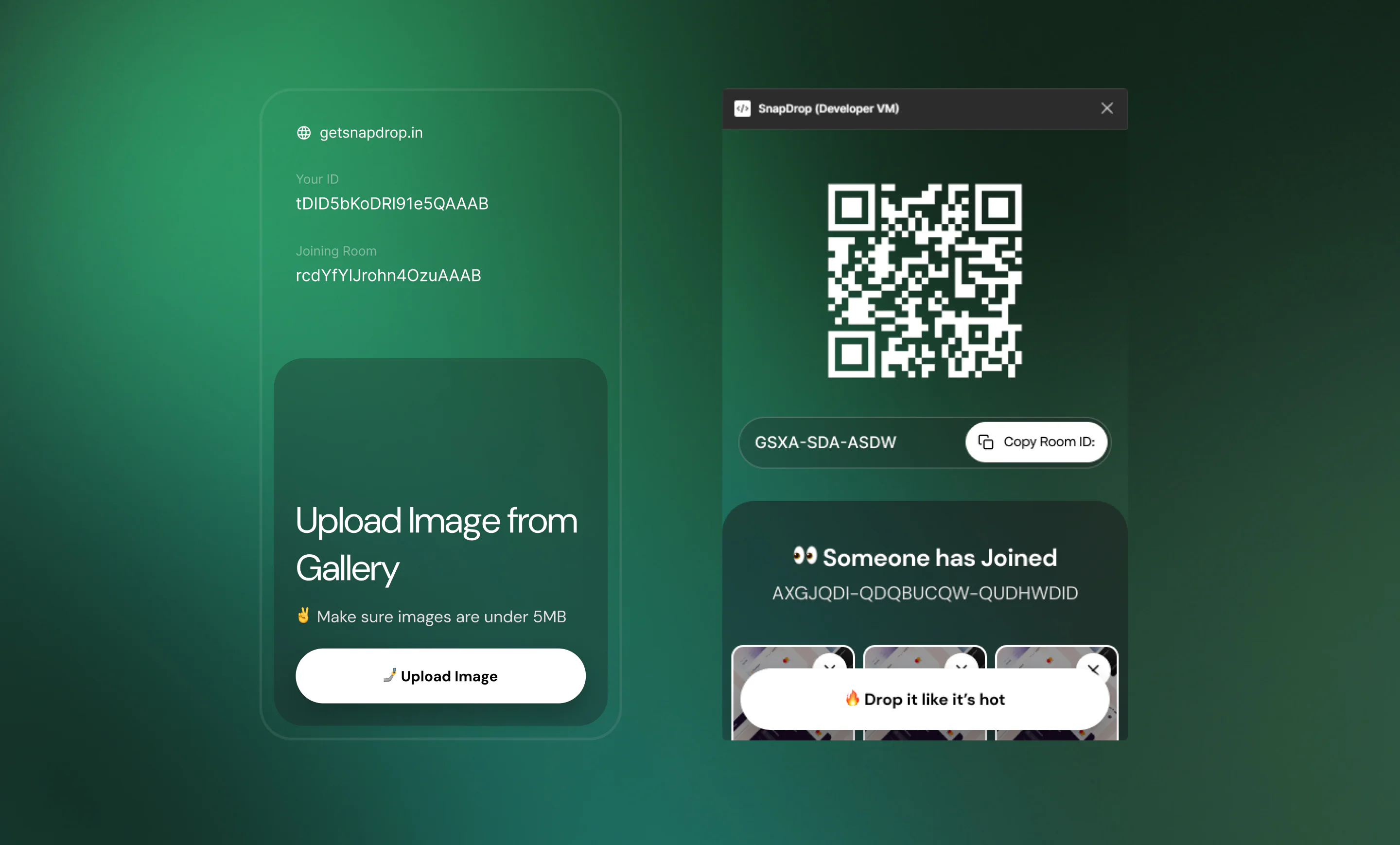
Problem
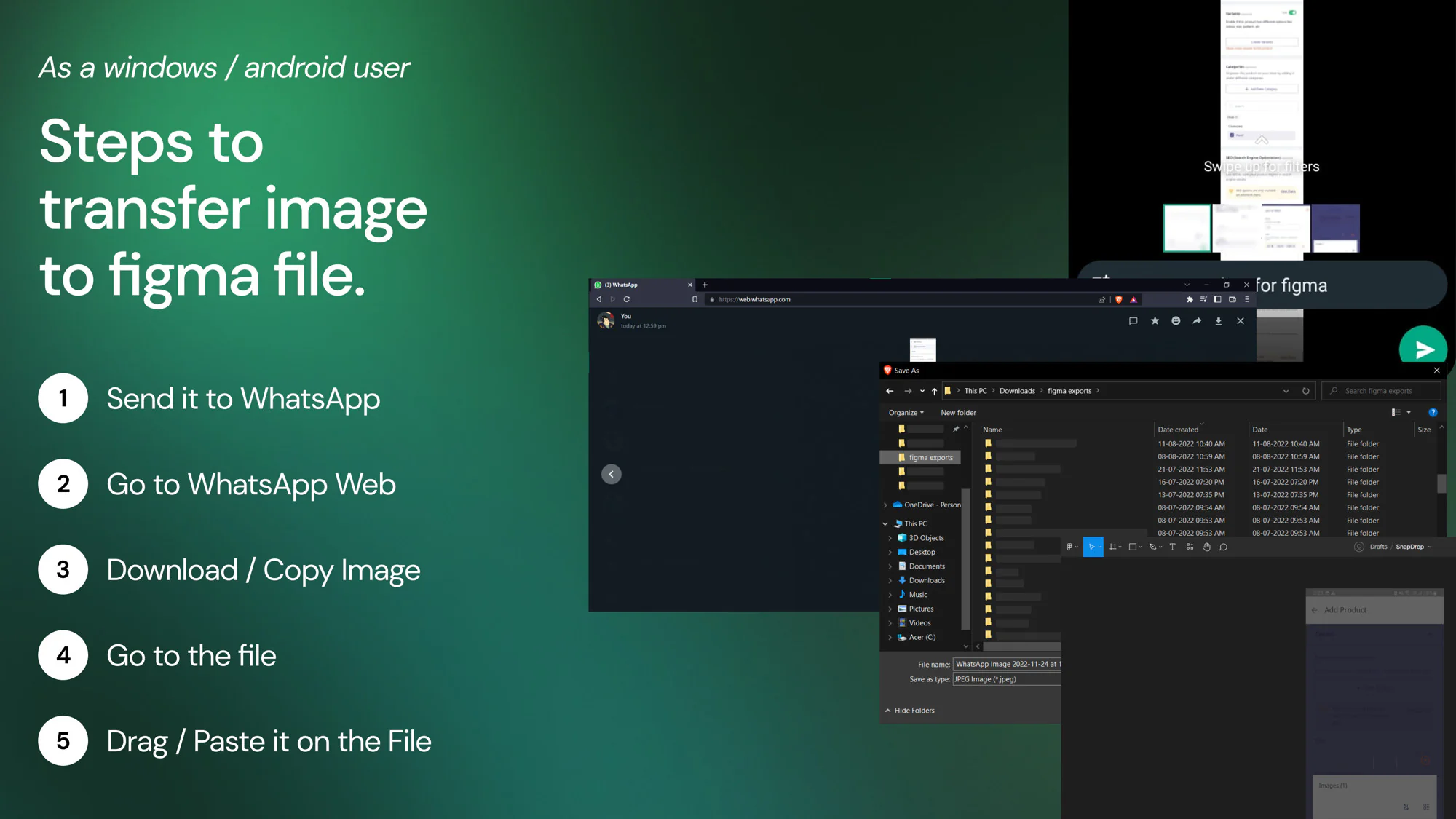
Every time I needed an image off my phone into a Figma file, this was the dance I had to do:
- Send the image to myself on WhatsApp.
- Open WhatsApp Web on the PC.
- Right click, save image to disk.
- Open the Figma file.
- Drag the image onto the canvas.
Five steps. Every one of them ate time, and WhatsApp Web was quietly filling my SSD with cached images I would never look at again.
I am a Windows and Android user so AirDrop was never an option. I wanted something that felt like AirDrop but landed inside the Figma canvas, not in the Downloads folder.
The Idea
I wanted to compress those five steps into one move.
You open the Snapdrop plugin inside a Figma file. It generates a unique room and shows you a QR code and a short URL for it. You scan the QR with your phone. A drop zone opens in the browser. You drop the image in and it lands inside the Figma file in realtime.
No save, no download, no drag. The Figma file is the inbox.
Figma Plugin
The plugin is plain JavaScript on top of the Figma Plugin SDK. This was before any AI coding tools were a thing, so every line was handwritten and read three times before saving.
When the plugin opens, three things happen in order:
- A unique Room ID is generated for this session.
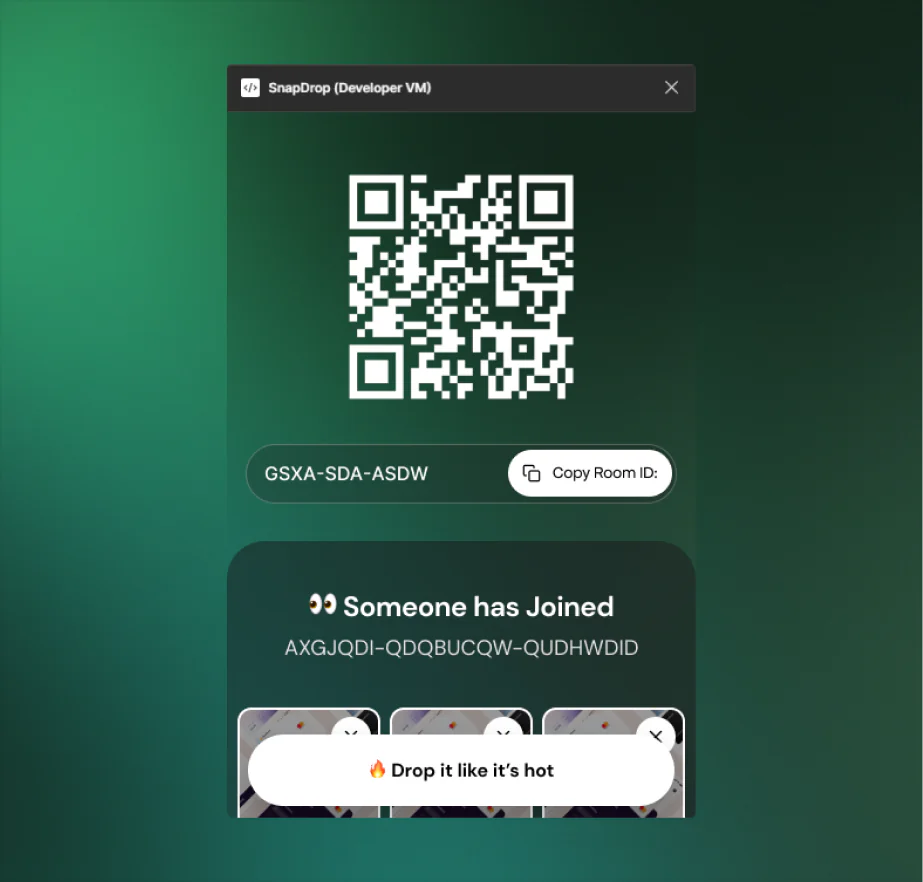
- A QR code and a copyable Room ID render inside the plugin panel.
- A socket connection is opened and the plugin joins the room as the receiver.
When an image arrives over the socket, the plugin decodes the payload and places it inside the Figma file as an Image node at the current viewport center. So the image visibly lands on the canvas the moment it leaves the phone.
Web Drop Zone
The drop zone is a small Vue.js app served from getsnapdrop.in.
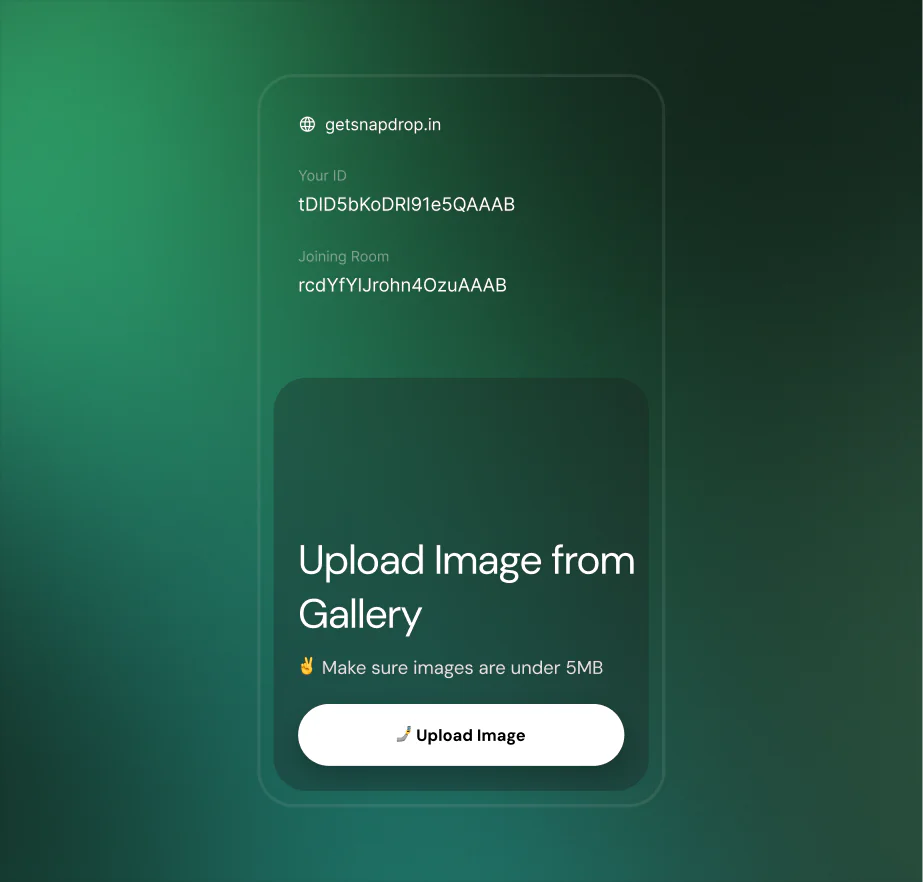
It reads the Room ID from the URL, opens a socket connection, and joins the same room the plugin created. From there it behaves like a normal upload screen. You drop an image (5MB cap), preview the file, hit Upload, and it goes out over the socket to the plugin.
A status line tells you when Someone has Joined the room, so you know the plugin is actually listening before you send anything across.
Realtime Transfer
The transport layer is Node.js with Socket.IO. The plugin and the phone are two separate clients that need to find each other reliably and only talk to the correct partner.
That is exactly what Socket.IO rooms are for. Both clients join a room keyed by the unique Room ID, and the server scopes every emit to that room. If two people happen to use Snapdrop at the same time, their Room IDs never collide, so the images cannot end up in the wrong Figma file.
Server flow
- The plugin connects, joins the room with its unique Room ID, and waits.
- The phone hits the QR URL, connects, and joins the same room.
- The server emits a "joined" event so the plugin can surface "Someone has Joined".
- The phone emits an "image" event with the encoded payload.
- The server forwards the payload inside that room only.
- The plugin receives, decodes, and places the image on the canvas.
All of this was hand-rolled at a time when wiring up Socket.IO meant reading the docs end to end, not pasting a snippet from a chat window.
Deployment
Everything runs on a single VPS that I provisioned and configured myself. No managed platform, no Vercel, no Heroku. Just a Linux box I SSH into.
- Node + Socket.IO runs under PM2 so it restarts on crash and survives reboots.
- Nginx sits in front as a reverse proxy. It serves the built Vue app for getsnapdrop.in and forwards the /socket.io traffic to the Node process.
- UFW handles the firewall. Only 80 and 443 are open. Everything else is closed.
- HTTPS comes from Let's Encrypt via Certbot, with auto-renewal wired up so the cert never expires on me.
Where It Is Now
The Figma plugin currently has 457 users on the Figma Community, with a handful of weekly actives still using it. I built this for myself first and never properly marketed it, so that adoption is a quiet sign that the same pain hits more people than just me.